
DayZ Hub · Mods
DayzHUB Skin Systemv1.0.2
Server licence
Players repaint their gear into any skin you list, with a live 3D preview, Paint Workbenches and premium access.
★ Write the first review →€30.00one-time
Log in with Discord to buy
Pay with PayPal or Apple Pay.
Buying a mod gives you the mod — it does not include the DayZ Hub Discord bot. See plans for the bot.
See it in action
Overview
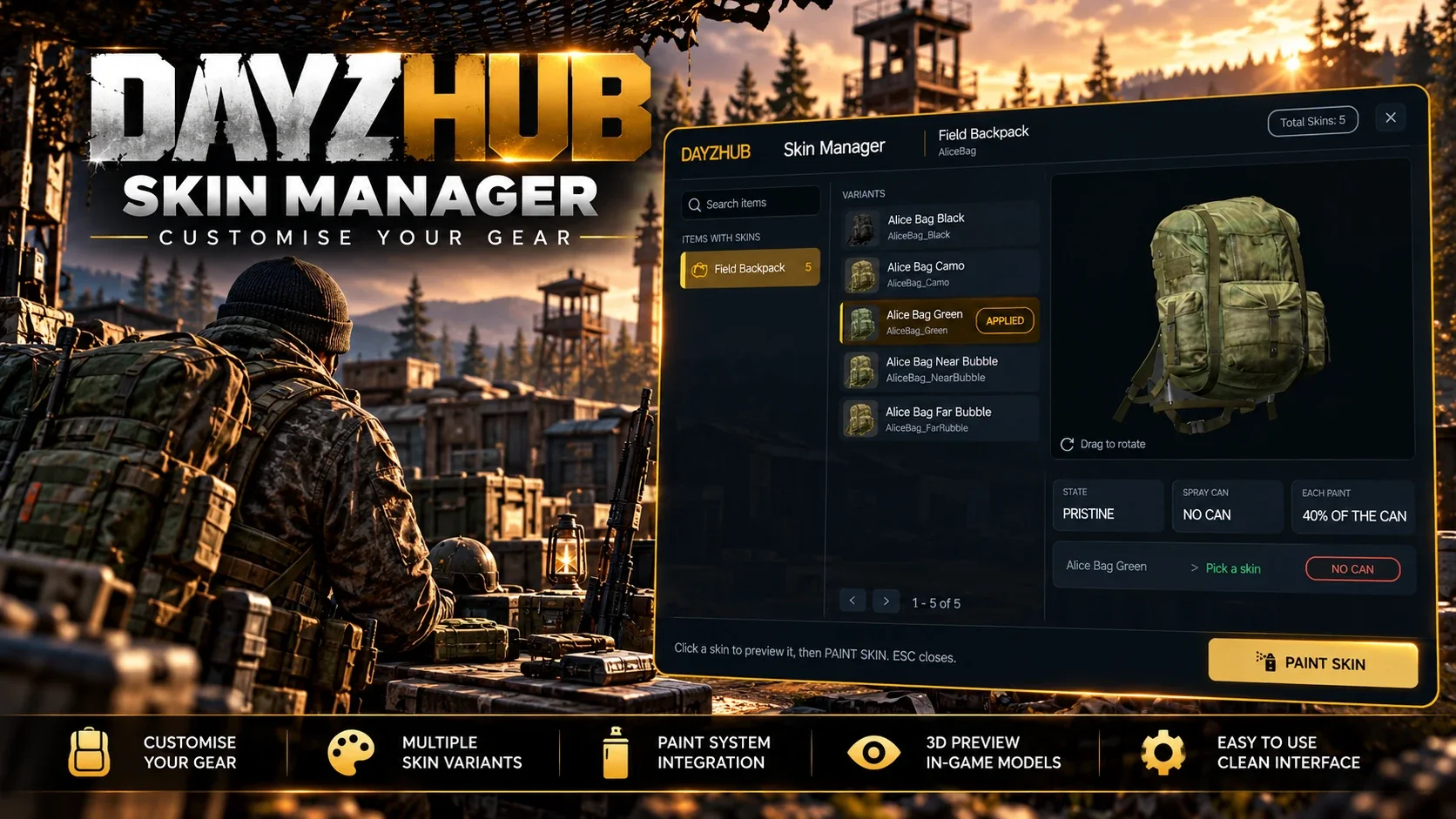
DayzHUB Skin System lets players repaint bags, clothing, headgear, vests and weapons into any skin you list. They browse every skin with a live 3D preview, see the item now and new side by side, and paint it at a Paint Workbench with a spray can. Premium players open the menu with a key anywhere. A painted item keeps everything.
Works with other mods
What this mod needs, what it has been tested with, and what it does when another mod does the same job.
Needs
- DayzHUB Core 1.0.5 or newer. Free with any DayzHUB mod, download it from My mods.
- DayZ 1.30 The current build is made for it.
Works with
- HunterMods Tested on the same server while its events were running. Both load together and the menus work as normal.
Features
Skin menu
- Browse every skin of your gear: bags, clothing, headgear, vests and weapons, with categories, search and page counts.
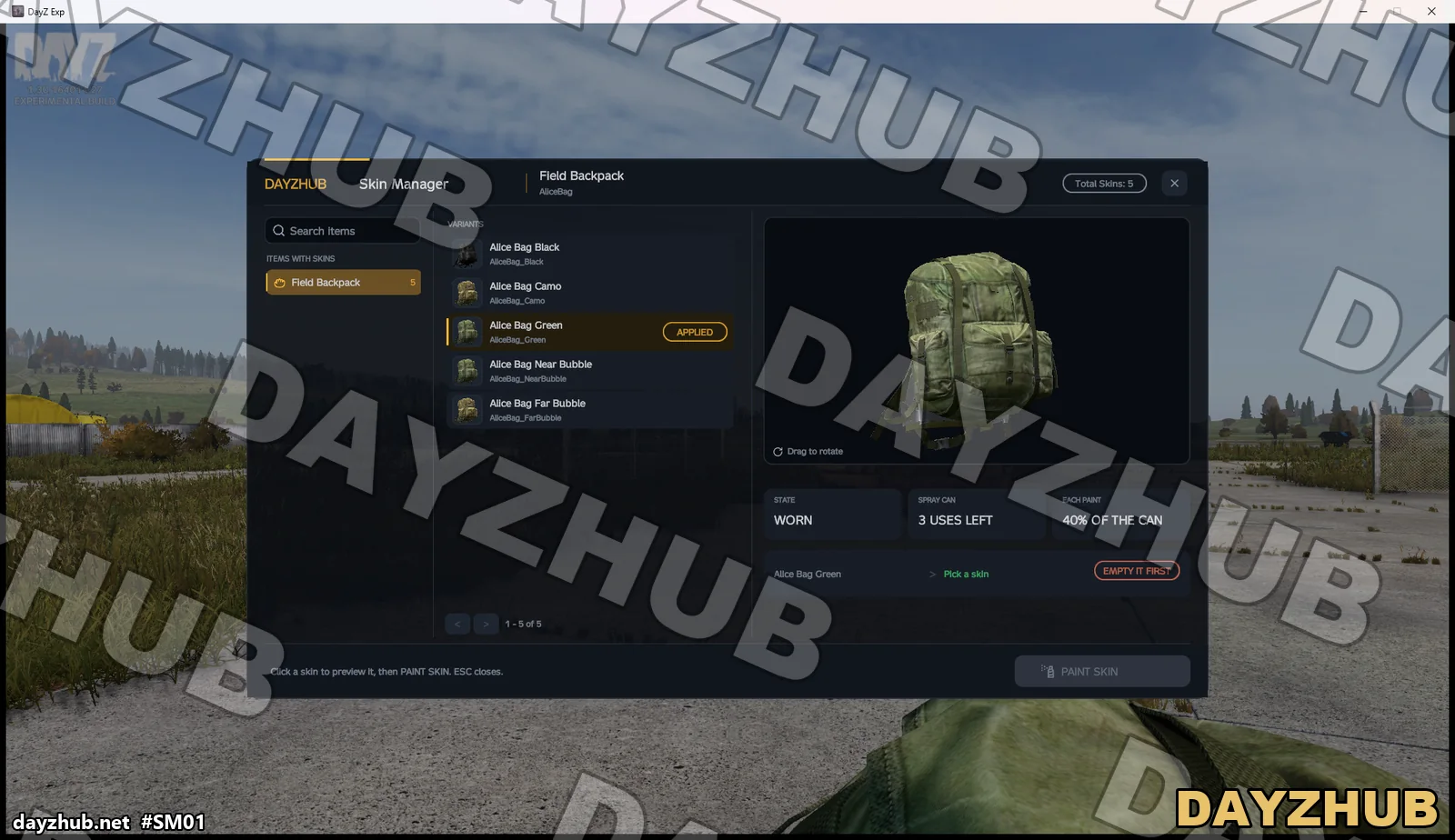
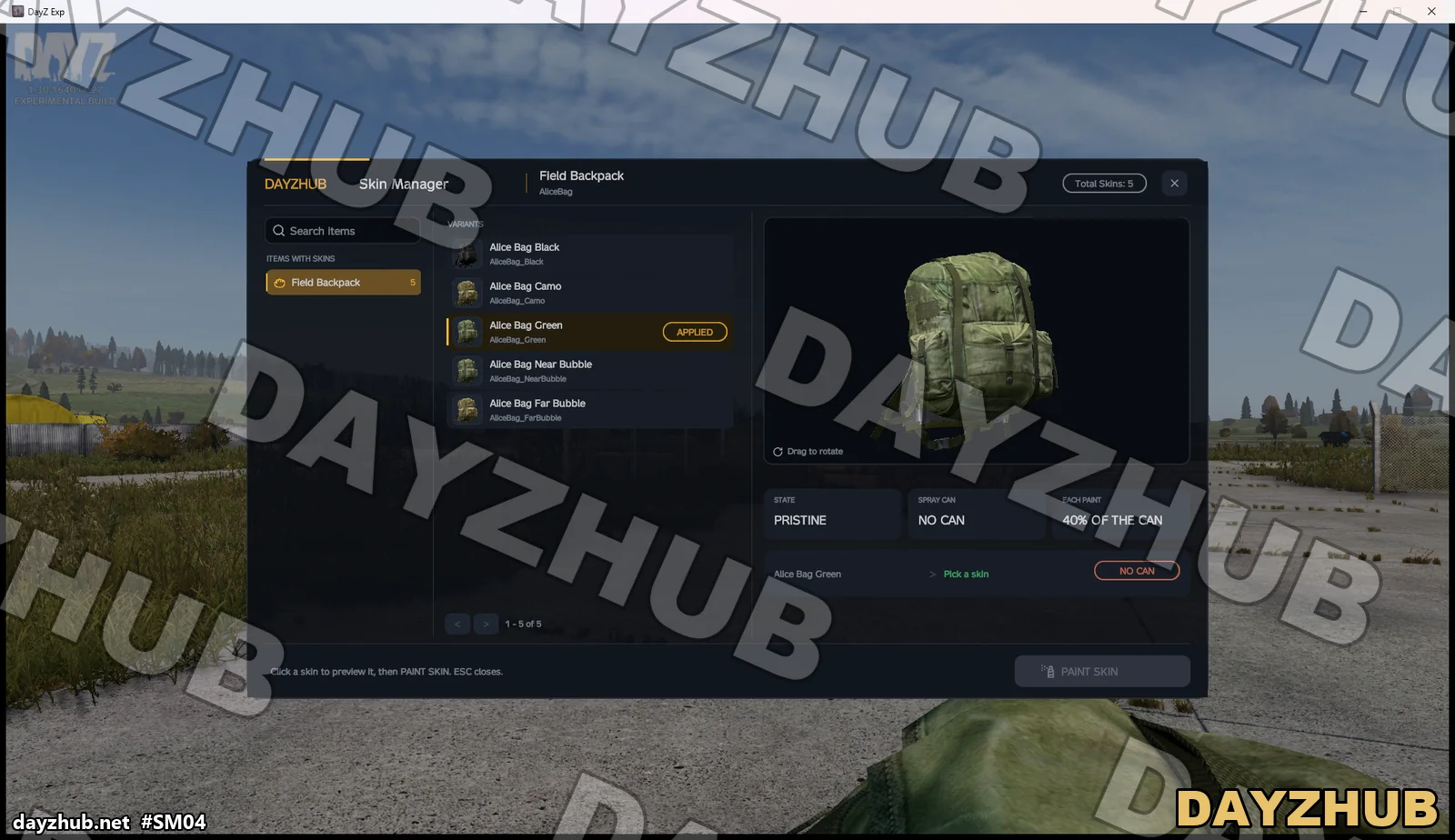
- A live 3D preview of every skin: now and new side by side, the item flips over to show the new skin, rotate and zoom.
- Paint any item you carry: in your hands, on your body or in your inventory. It keeps its place in the inventory.
- A painted item keeps everything: health, quantity, liquid, temperature, energy, attachments, cargo, magazine rounds and the chambered round.
- A clear list before you paint: on you, condition, premium skin and uses left in the spray can.
Paint Workbenches
- Server benches: admins place them from the admin bar with a green and red preview and a free camera, then go there, move or remove them. They cannot be damaged and stand again after every restart.
- Player benches: built from a Paint Workbench Kit, sold by any trader, with a hologram that shows where it may stand. A hammer takes it back to the kit.
- Limits per player and per LB group. No benches in Expansion safe zones, LB no-build zones or your own zones.
- Anyone may use any bench. At a bench the menu stays open and shows the progress inside.
Cost and premium
- Painting uses a share of a spray can (configurable item and share, per skin too), or is free for everyone with one switch.
- Premium players open the menu with a key anywhere (L, rebindable; the menu shows the bound key) and can paint without a can.
- Premium-only skins.
- Premium by days or permanent, given in game. Grants extend the time left, and the player is told at once.
Admin
- Admin bar page: status, settings, premium list and benches, every change used at once without a restart.
- Skin editor: add, edit and remove skins with live pictures and a class search.
- Its own permission for the DayzHUB team ranks.
- Versioned config files with automatic upgrades and backups. Daily logs of every paint, bench and premium change, kept 30 days.
Requirements and compatibility
- DayZ 1.30.
- Requires DayzHUB Core 1.0.5 or newer and a licence.
Installation
- Install DayzHUB Core first (free with any DayzHUB mod, a separate download in My mods).
- Copy @DayzHUB_SkinManager (client and server) and @DayzHUB_SkinManagerServer (server only, never give it to players) into your server folder.
- Copy keys\DayzHUB.bikey from @DayzHUB_SkinManager into your server's keys folder.
- Start parameters: -mod=...;@DayzHUB_Core;@DayzHUB_SkinManager and -servermod=@DayzHUB_SkinManagerServer
- Licence: in My mods on dayzhub.net add your server's IP and game port. There is nothing to download or put on the server.
- Admins: add your Steam64 id to <profiles>\DayzHUB\Admin\admins.json (Core writes the file on the first start).
Configuration
- Every setting and the skin list in one file, all also on the admin page. One example skin is included.
- The settings files are written once and never overwritten by an update; a newer version adds new settings with their defaults and keeps your values.
- English, Czech, German, Polish, Hungarian, Italian, Spanish, French and Portuguese, plus Thai through DayzHUB Core.
Performance
- Nothing runs on the player's PC while the menu is closed. An idle bench costs the server nothing.
Support
Questions or a problem? Ask in the DayzHUB Discord.
Server licence
One licence per mod and per server (public IP and game port, IP:PORT). Add the server in My mods: there is no licence file to download or install. More servers cost a third of the price each. You can take a 7-day test version first (20% of the price) and upgrade later by paying only the rest. A free test server (registered with its exact name, with a password and up to 10 slots) does not count. If the licence is not valid, the mod pauses itself and your server keeps running; the server log shows a link to add the server. If our website cannot be reached, servers already confirmed keep running for up to 12 hours.
Screenshots
📣 Update Log
Update2026-11-06
- DayzHUB menus stay clear of other mods' pop-up messages: those are hidden while a DayzHUB menu is open and come back when it closes.
- New licence system: this version uses the new DayzHUB licence. Your previous version keeps working for 7 days after this update; after that the old licence is removed and the previous version stops working.
- What to do: download this new version from My mods and install it (client and server files). Your settings and saved data stay.
Update2026-11-02
- Admin Benches page: the empty list message reads in full.
- The spray can state updates by itself while the menu is open.
- Better compatibility with other mods on the server.
- How to update: download it again from My mods and replace the client folder and the server folder. Your settings are kept.
First release2026-11-02
- First release.
- Players repaint bags, clothing, headgear, vests and weapons at a Paint Workbench, with a live 3D preview; premium players open the menu with a key anywhere.