
DayZ Hub · Mods
DayzHUB EarPlugsv1.1.0
Côté client
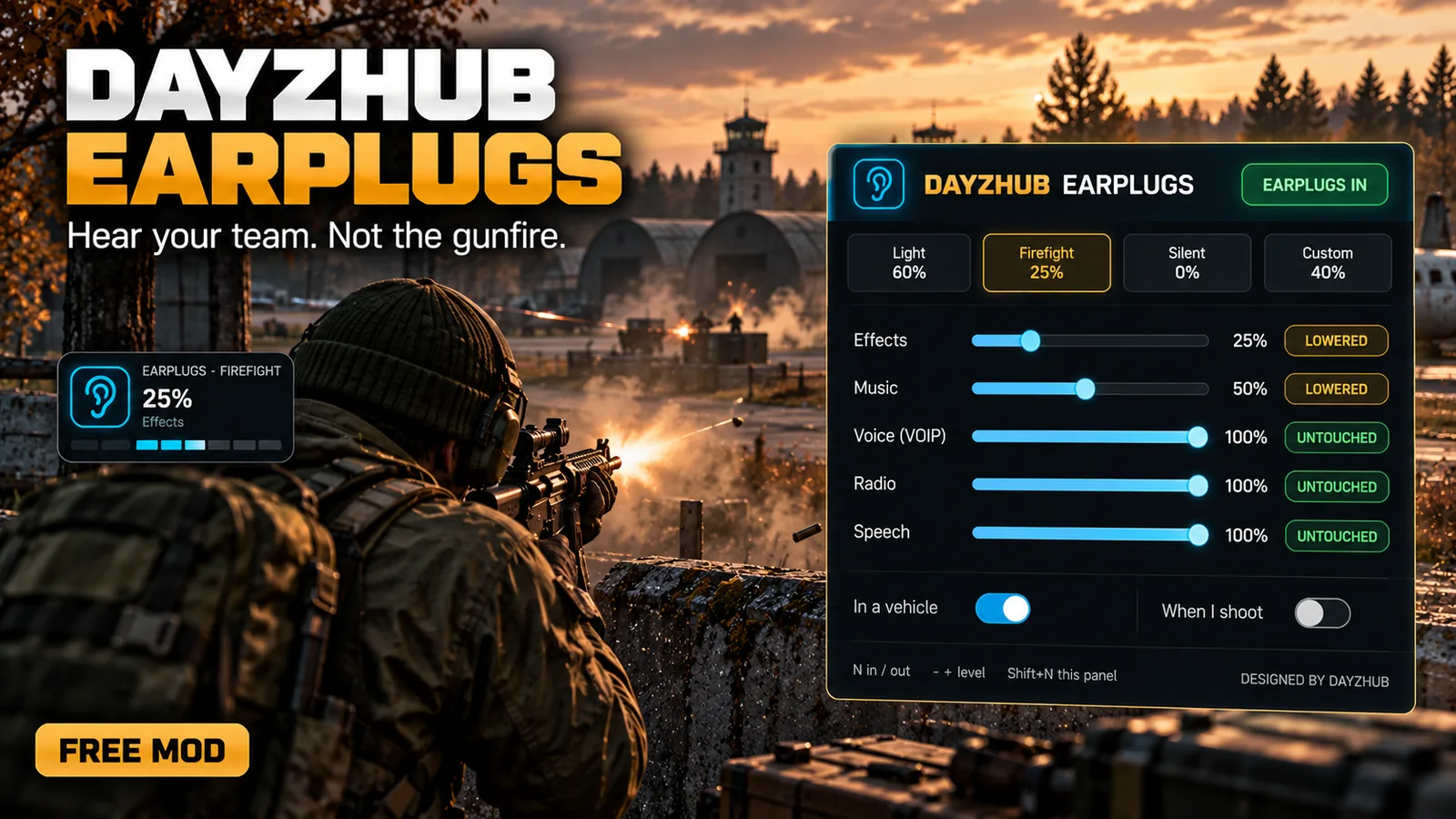
Free earplugs for DayZ. Hear your team, not the gunfire: press N and the game gets quieter, per sound channel.
★ Écrire le premier avis →Gratuit pour tous
Voir sur le Steam Workshop
Gratuit sur n’importe quel serveur. Abonnez-vous sur le Steam Workshop : il n’y a aucun téléchargement sur ce site.
Voir en action
Compatible avec d'autres mods
Ce dont ce mod a besoin, avec quoi il a été testé et ce qu'il fait lorsqu'un autre mod remplit la même fonction.
Requis
- Nothing else One client mod: no DayzHUB Core, no licence, no server mod.
- DayZ 1.30 Load it with -mod and put DayzHUB.bikey in the server keys folder.
Fonctionne avec
- DayZ Expansion, LBmaster and TheModBase mods Works with them.
Se met en retrait
- LBmaster EarPlugs If it is loaded too, DayzHUB EarPlugs steps aside so the two never fight.
Fonctionnalités
- Press N to put the earplugs in or out. Numpad - and + change the level in 5% steps, Numpad * cycles the presets, and Shift + N opens the settings panel.
- Group voice: press Numpad / and only your LB Advanced Groups group hears your voice, at normal voice range. Press it again and everyone hears you. It only changes who hears you, never your own mutes, and works on servers that run LB Advanced Groups.
- Five sound channels, each lowered as a percentage of YOUR own volume settings: Effects (guns, steps, vehicles), Music, Voice (VOIP), Radio and Speech. Voice and radio stay untouched by default, so you still hear your team.
- Presets Light, Firefight, Silent and your own Custom. Numpad * cycles them. Your own sound settings are restored exactly when you take the earplugs out.
- Optional automatic modes: quieter while you are in a vehicle, and a short extra damping after each shot you fire.
- A small indicator shows the level and then shrinks to a small icon. Position, size and opacity can be changed. Your levels and choices are saved on your own PC, with an option to keep the earplugs in after you reconnect.
- All keys can be changed in Options > Controls > Configure keybindings > DayzHUB EarPlugs. Messages from the mod show as a small card in the top right corner.
- Nothing to set up: one client mod, no DayzHUB Core, no licence, no server mod and no config. Load it with -mod and put DayzHUB.bikey in the server keys folder. Nothing runs while idle. DayZ 1.30.
- Works with DayZ Expansion, LBmaster and TheModBase mods. If LBmaster EarPlugs is also loaded, DayzHUB EarPlugs steps aside so the two never fight.
📣 Journal des mises à jour
Update2026-10-31
- New: Group voice. Press Numpad / (rebindable in Controls) to turn it on or off. While it is on, only your LB Advanced Groups group hears your voice, at normal voice range. Everyone else hears you again as soon as you turn it off
- Group voice only changes who hears you. Mutes you set yourself are never touched
- Works only on servers that run LB Advanced Groups. On other servers nothing changes
- New: Numpad * cycles the presets
- Changed: quieter and louder are now Numpad - and Numpad + only. The - and = keys also changed your weapon zeroing, so they are no longer bound by default
- New default keys: N in or out, Shift+N panel, Numpad - and + level, Numpad * preset, Numpad / group voice. If you already changed a key in Controls, your own key stays
- New: messages from the mod now show as a small card in the top right corner instead of the game's notifications
- The key help in the EarPlugs panel shows the new keys