
DayZ Hub · Mods
Terminalv1.0.0
Licenza server
A personal and group storage terminal for PVE servers. Walk up, press F, store your gear, take it back at any terminal on the map.
In arrivo
€45 una tantum, per IP del server
IP del server aggiuntivo: €13.50
In fase di test, non ancora rilasciato
Paid mod · Not on sale yet. Follow the DayzHUB Discord for the release.
Panoramica
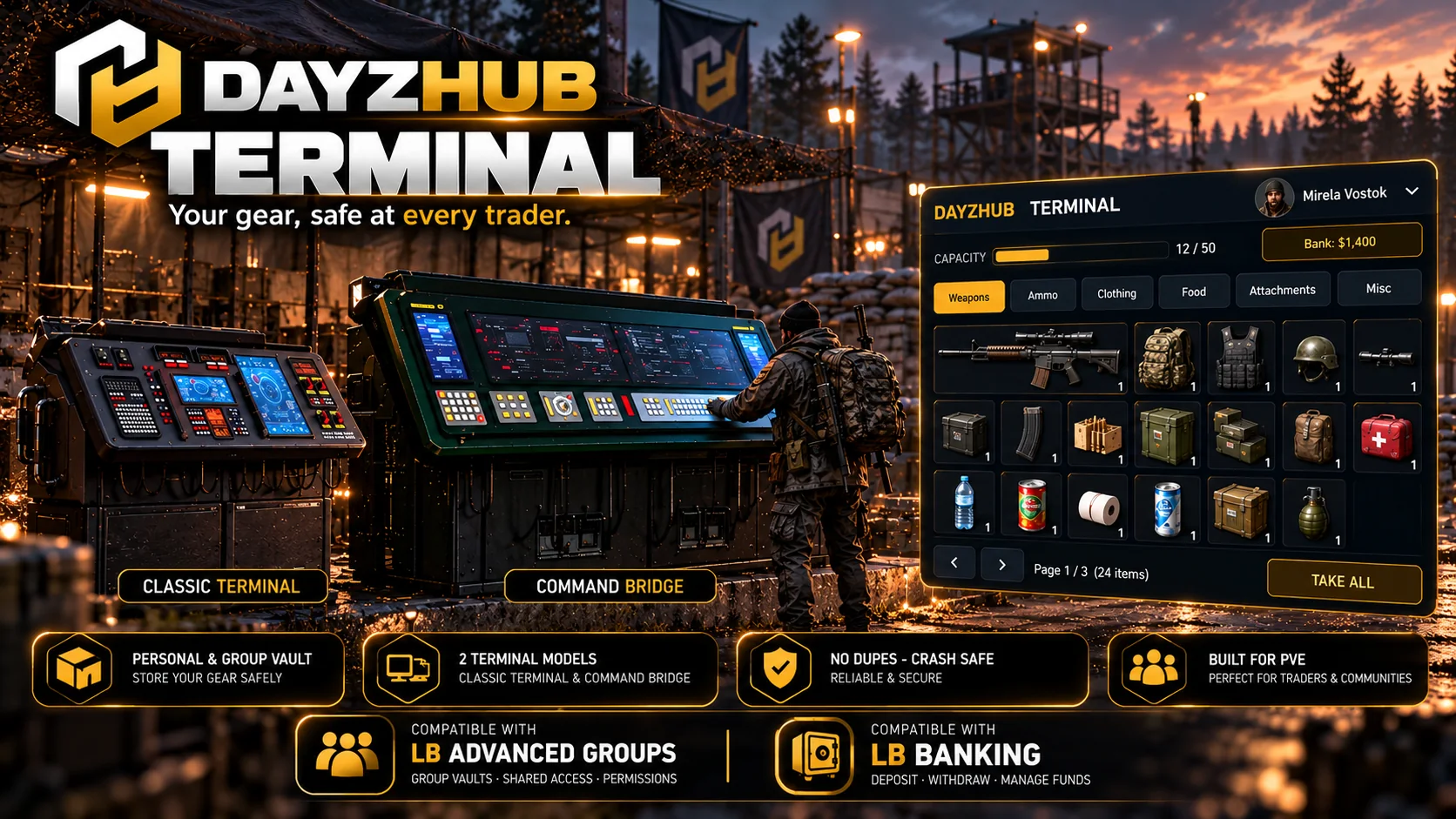
DayzHUB Terminal is a personal and group storage terminal for DayZ 1.30, made for PVE servers. Server owners place terminals at traders or safe zones. Players walk up, press F and store their gear in their own vault, then take it back at any terminal on the map. Players never carry or build terminals: no raiding, no base storage, no loot to manage.
Funzionalità
Players
- One vault per player, plus a group vault shared by the LB Advanced Groups group.
- A clean DayzHUB HUD: your inventory on the left, your vault on the right, category tabs (Weapons, Ammo, Clothing, Food, Attachments, Misc), search, sort, pages and tooltips with condition, quantity and attached parts.
- Store Selected, Store All, Store Backpack Contents (with a confirmation), Take Selected and Take All. Shift-click or drag single items.
- Weapons keep their attachments. Items keep condition, quantity, liquids, food stage and temperature.
- Vault levels: more slots per level, with paid upgrades through LB Enhanced Banking (prices and slots are set by the server owner).
- Translated into 9 languages.
Server owners
- Place terminals in game from the DayzHUB admin bar: live preview, rotate with the mouse wheel, click to place. Move, go to and remove from the same page. Or edit Terminal.json.
- Three terminal models: the Classic terminal, the Command Console (a single desk) and the Command Bridge (a double desk, a large sci-fi console bank). You pick which one per spot.
- An admin bar page with settings, vault levels and prices, a blacklist (by class or base class), terminals, a quarantine with restore, and a read-only look at any player's saved vault.
- DayzHUB Console integration: status, quarantine list, vault inspect, events and terminal markers on the live map.
- Full logs per player and group, a security log and daily backups of every vault.
- The settings file is written once and never overwritten by an update.
Requisiti e compatibilità
- DayZ 1.30 stable.
- Requires DayzHUB Core.
- One licence per server.
- The personal vault works on its own. The group vault needs LB Advanced Groups and paid upgrades need LB Enhanced Banking.
Installazione
- Installa prima DayzHUB Core (gratis con ogni mod DayzHUB, download separato in My mods).
- Copia @DayzHUB_Vault (client e server) e @DayzHUB_VaultServer (solo server, mai ai giocatori) nella cartella del tuo server.
- Copia keys\DayzHUB.bikey da @DayzHUB_Vault nella cartella keys del tuo server.
- Parametri di avvio: -mod=...;@DayzHUB_Core;@DayzHUB_Vault e -servermod=@DayzHUB_VaultServer
- Licenza: in My mods su dayzhub.net inserisci l’IP del tuo server, scarica il file di licenza e mettilo in <profiles>\DayzHUB\Licenses\.
- Admin: aggiungi il tuo Steam64 id a <profiles>\DayzHUB\Admin\admins.json (Core crea il file al primo avvio).
Configurazione
- Terminal.json and the admin bar page: vault levels (slots and price per level), the item blacklist, reach distance and how long logs and backups are kept.
- Place, move, go to and remove terminals in game from the admin bar, or list them in Terminal.json.
- The settings file is written once and never overwritten by an update.
Supporto
Domande o un problema? Chiedi nel Discord di DayzHUB.
Licenza server
Una licenza per mod e per IP del server, su qualsiasi porta. Generala in My mods e metti il file in $profile:DayzHUB\Licenses\ sul tuo server. Se la licenza non è valida, il mod ferma il server e mostra un messaggio con il nome del mod (un rifiuto viene prima ripetuto una volta dopo 60 secondi). Ticket mette in pausa solo la propria funzione. Se il nostro sito non è raggiungibile, i server già confermati continuano a funzionare fino a 12 ore.