
DayZ Hub · Mods
DayzHUB CraftBenchv1.0.0
Licencia de servidor
Your own workbench for DayZ: place it from a kit, add a battery and storage, and craft with a premium menu, blueprints and a queue that never loses a craft.
★ Escribe la primera reseña →€60.00pago único
Inicia sesión con Discord para comprar
Paga con PayPal o Apple Pay.
Comprar un mod te da el mod — no incluye el bot de Discord de DayZ Hub. Para el bot, mira los planes.
Míralo en acción
Resumen
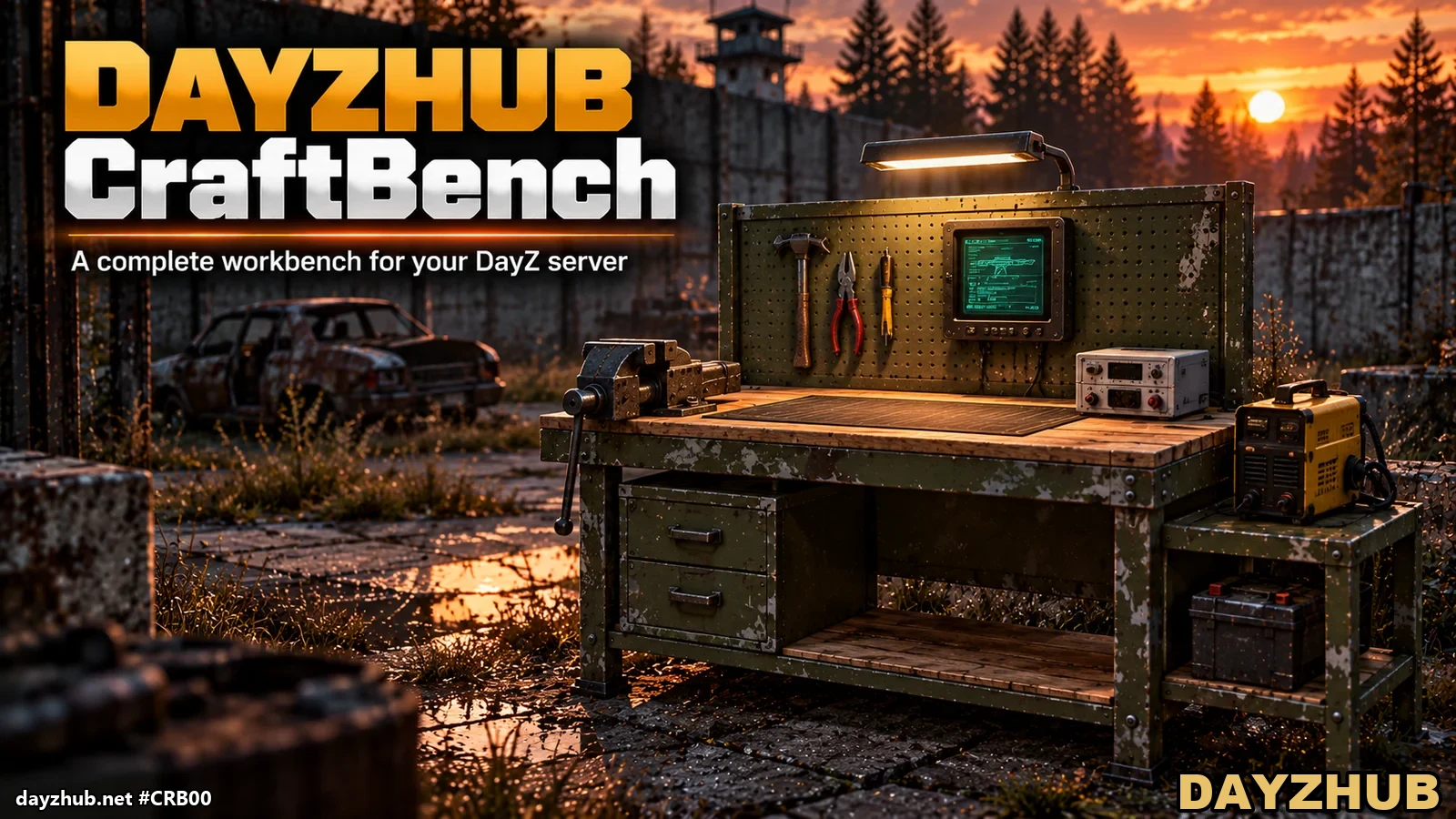
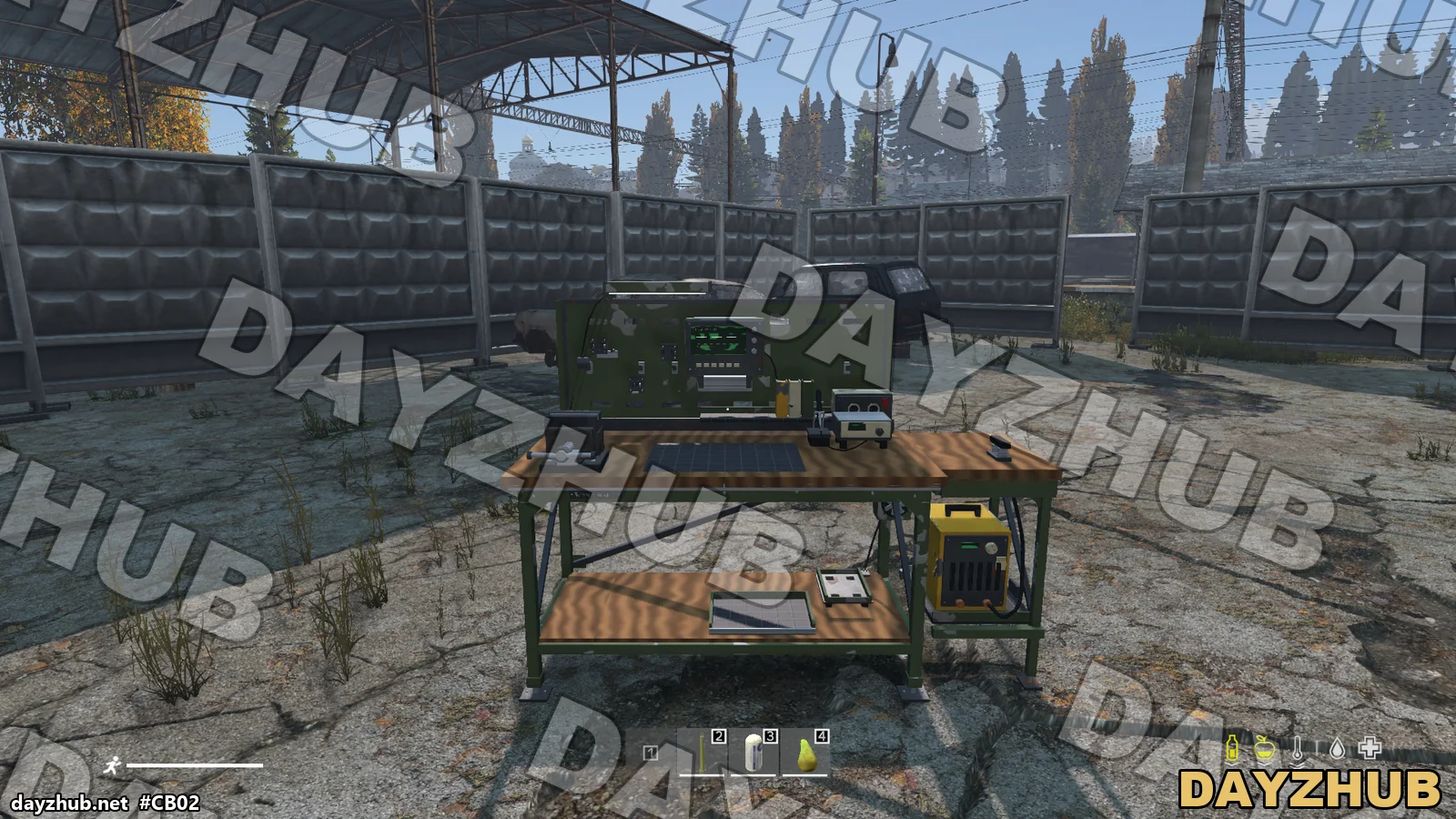
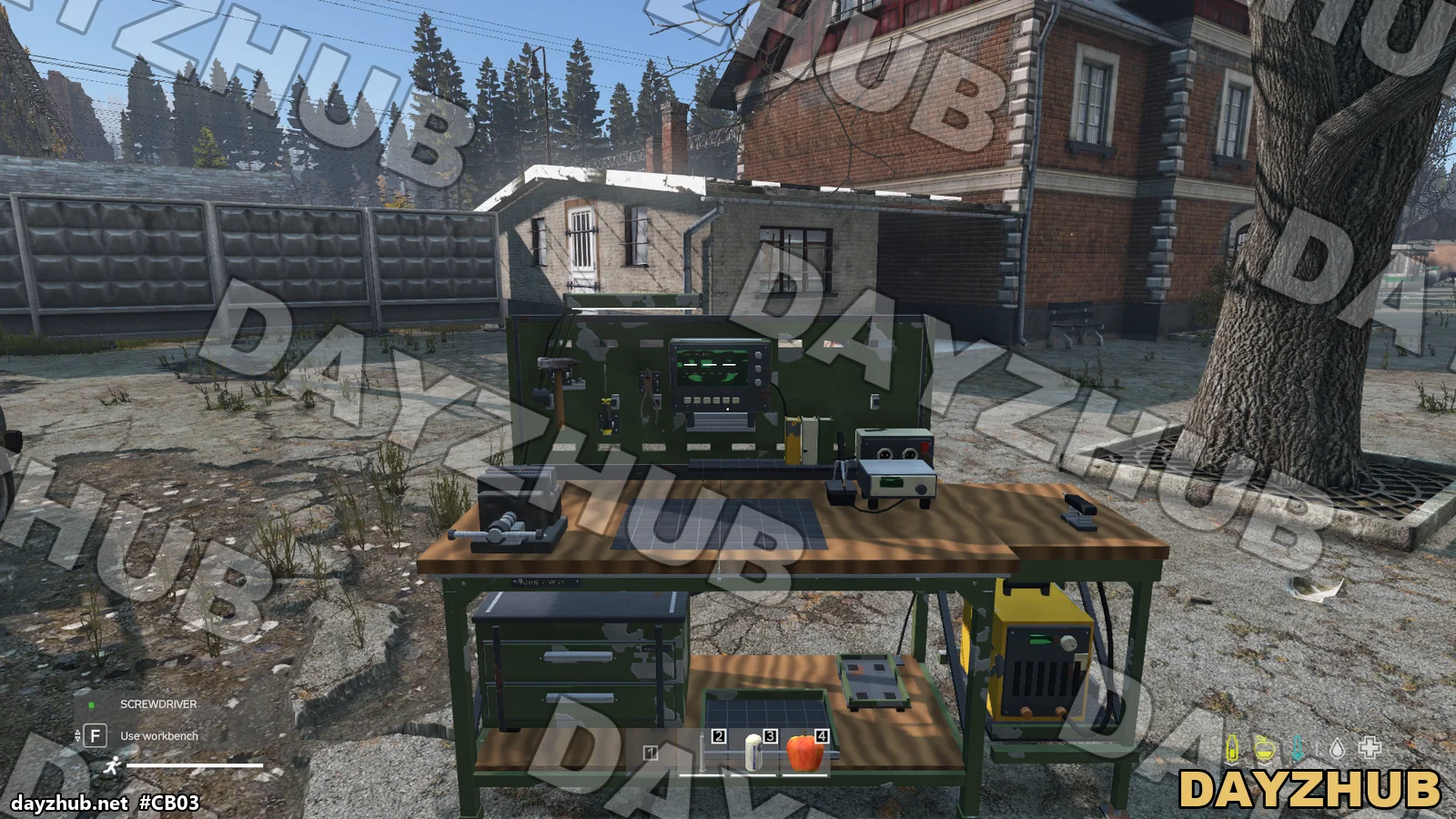
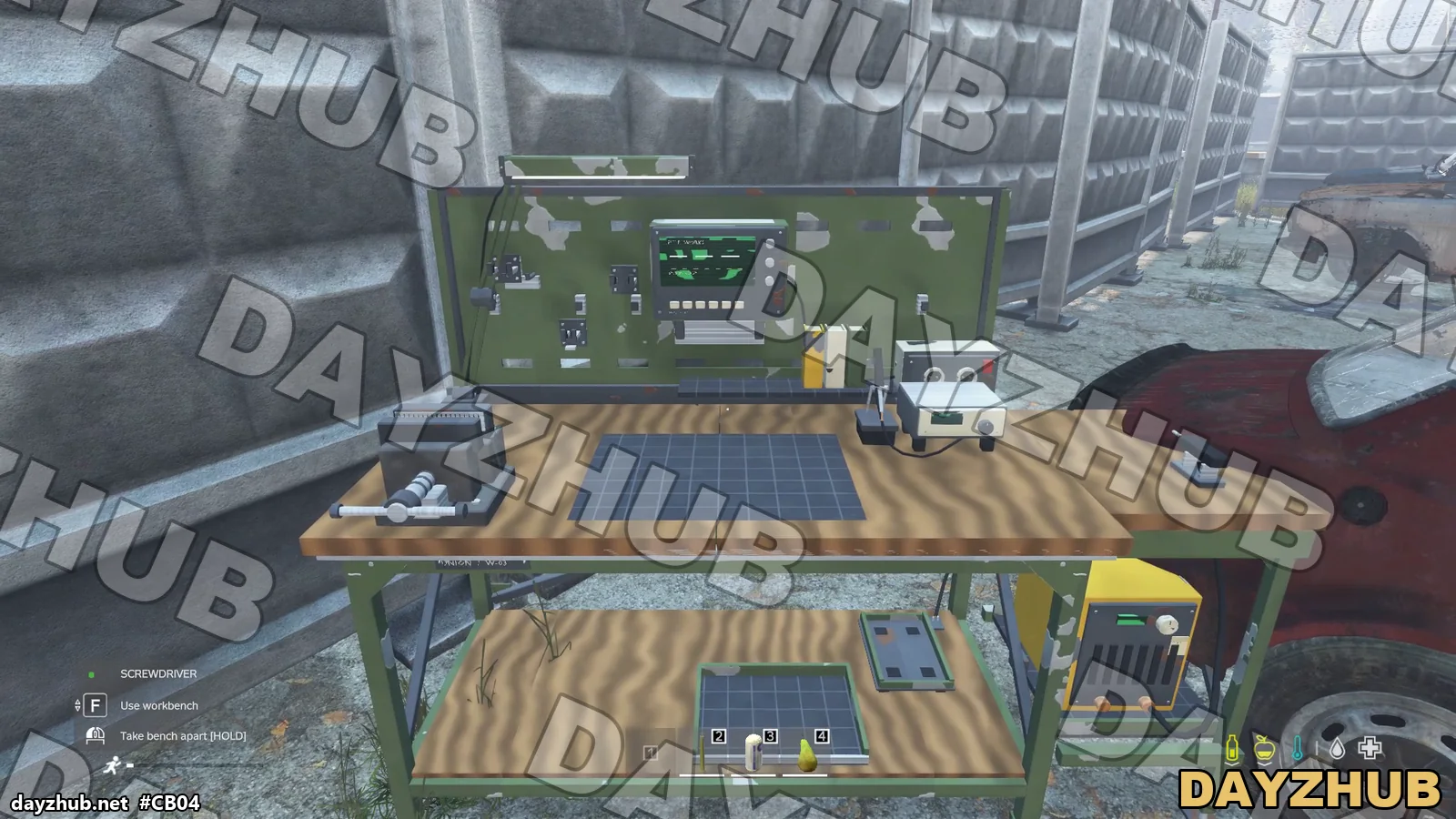
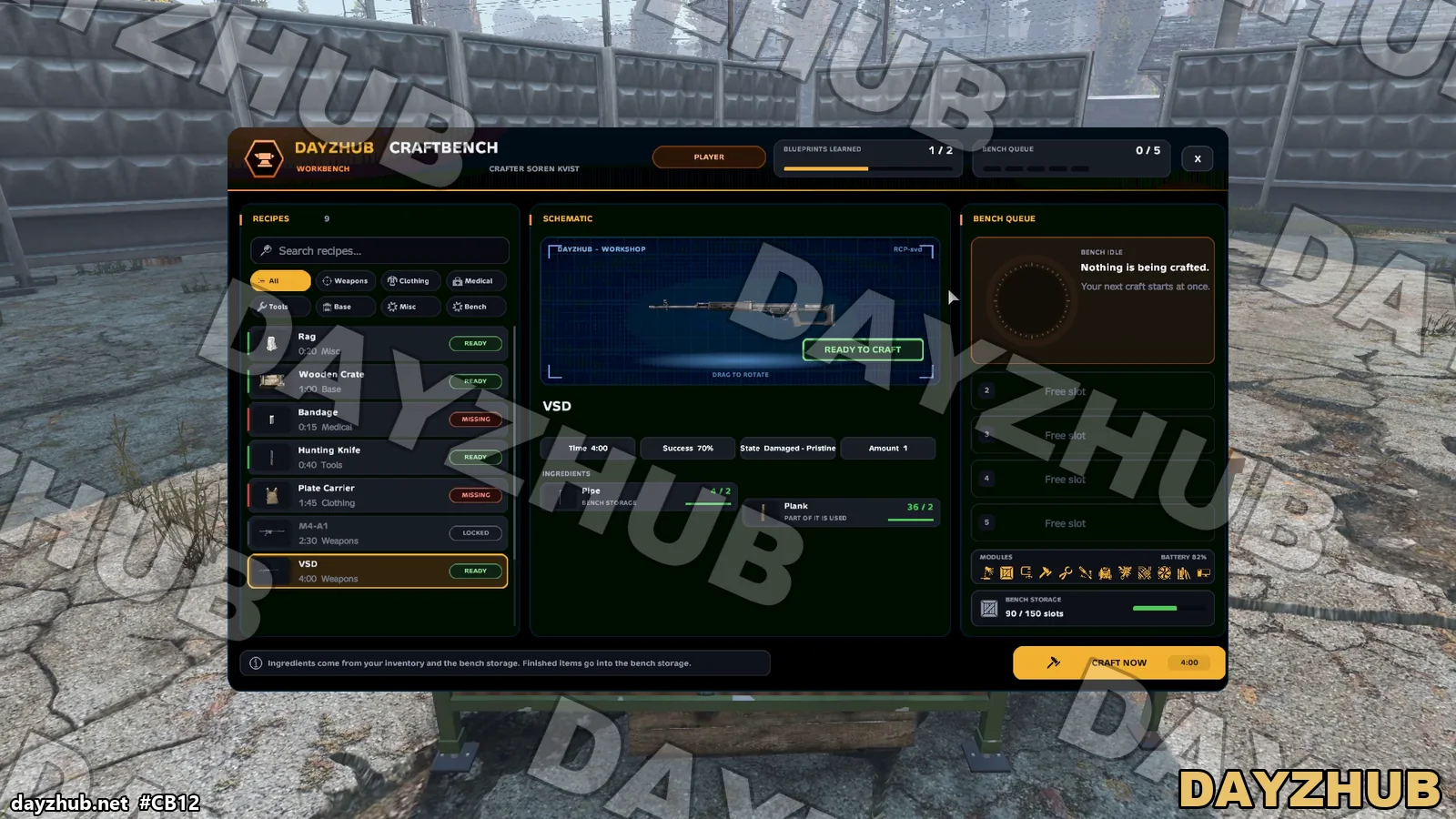
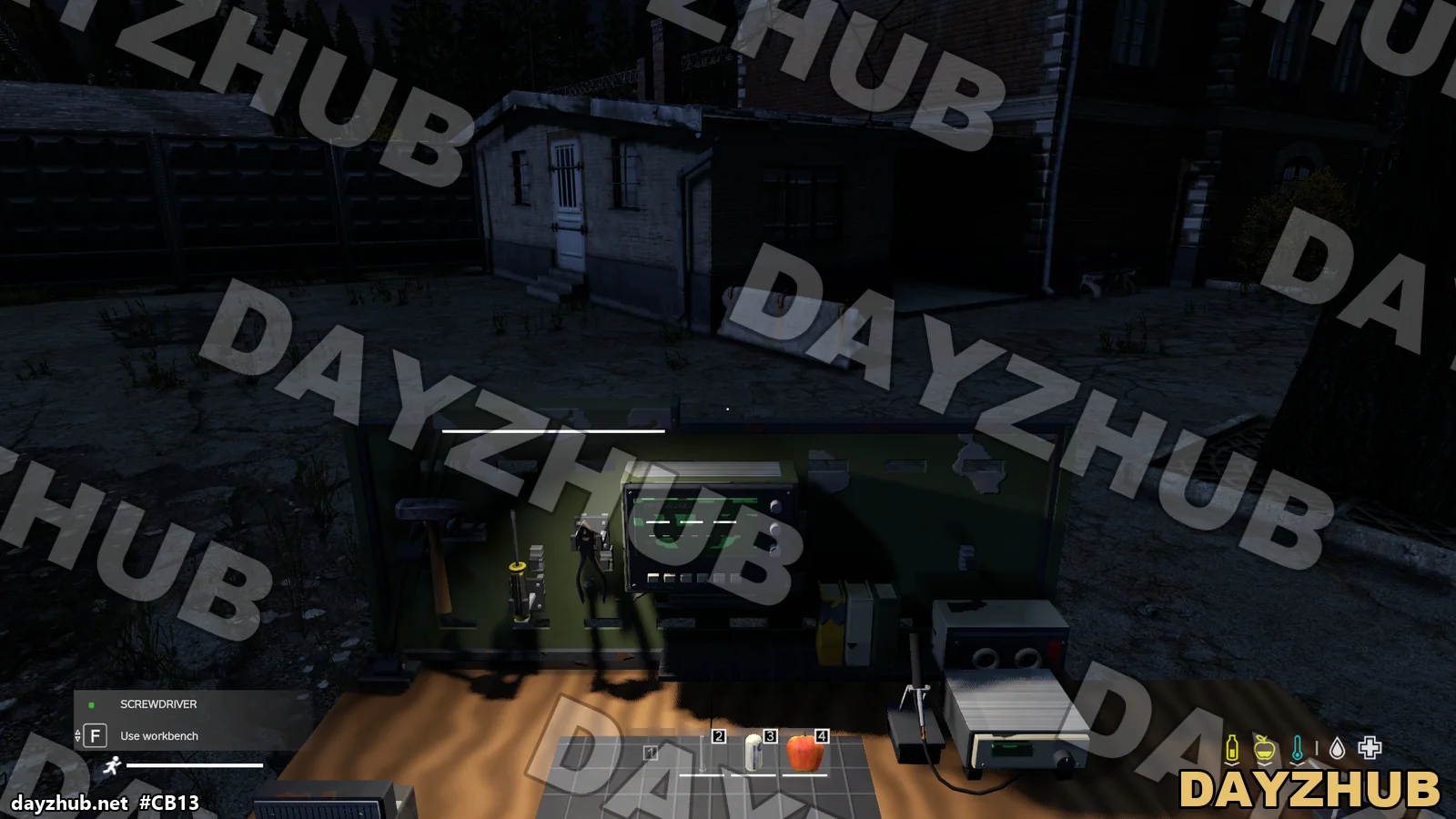
DayzHUB CraftBench is a workbench for DayZ 1.30. A player places a kit and the bench comes complete: lamp, vice, power unit, welder, electronics kit, cooling unit, manuals shelf and terminal are already fitted. The player adds a storage cabinet, a car battery and their own tools, and crafts in our own menu. Every craft takes time, runs on the battery and sits in a queue of up to 5 that is never lost when you walk away.
Funciona con otros mods
Qué necesita este mod, con qué se ha probado y qué hace cuando otro mod cumple la misma función.
Necesita
- DayzHUB Core Free with any DayzHUB mod. Download the current build from My mods.
- DayZ 1.30 Update 2 The current build is made for it.
Funciona con
- A6 weapons Weapons can come fully kitted with their parts, vanilla and A6.
- DayzHUB Console The VIP bench access list is managed from the Console.
Opcional
- LBmaster map markers Admin benches can show an optional LB map marker.
Funciones
Players
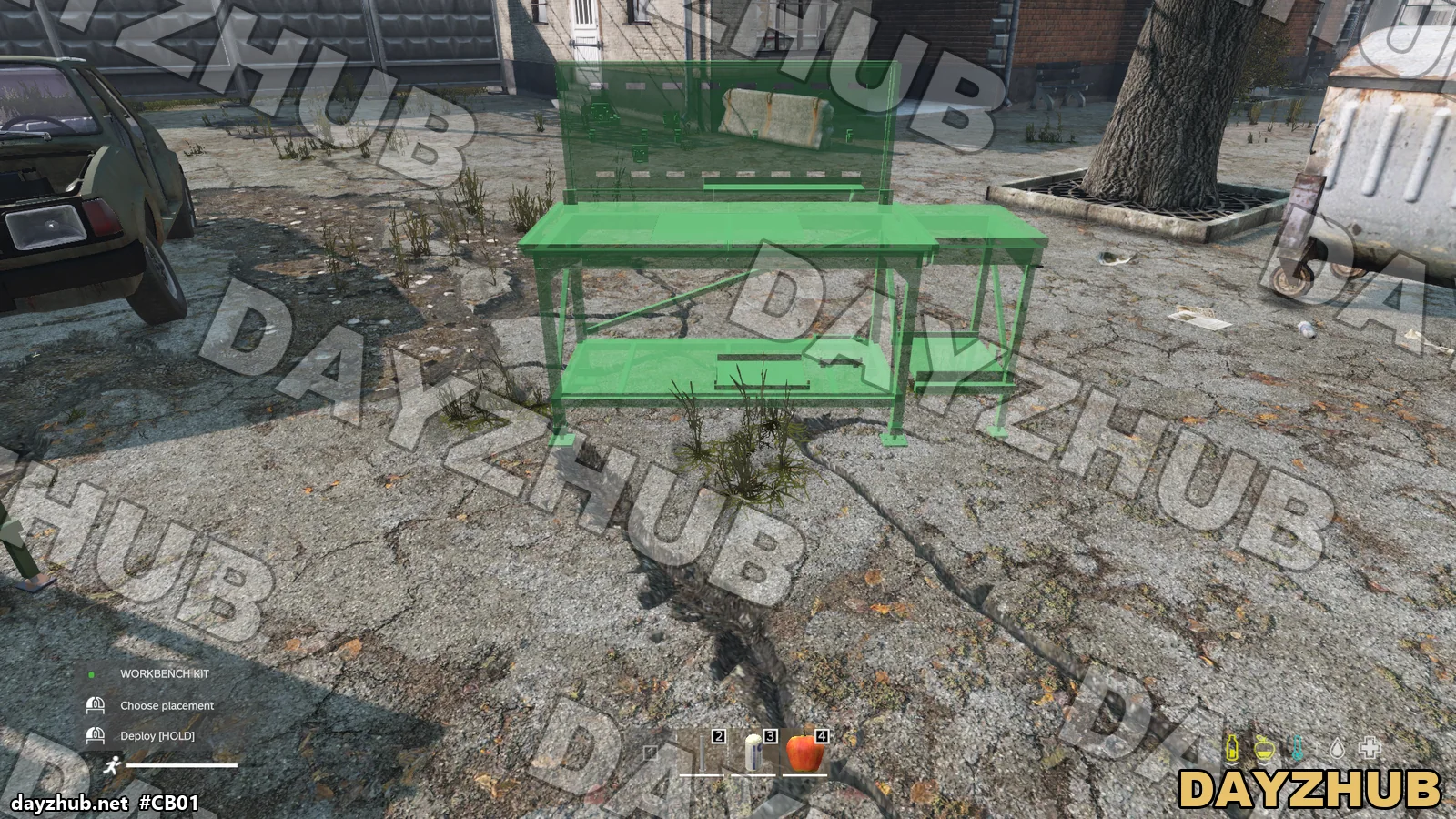
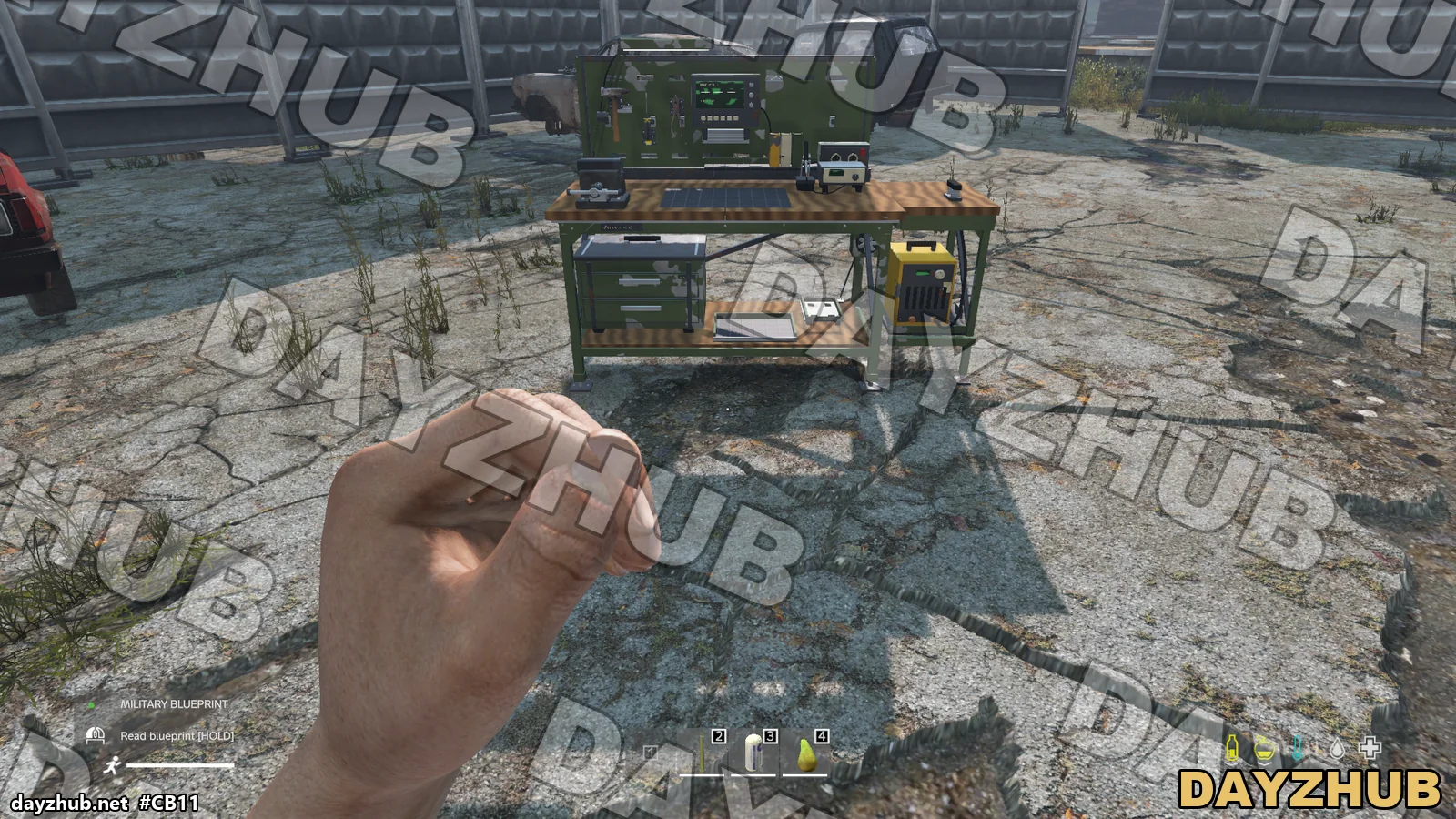
- Place your own workbench from a kit: a green ghost shows where it will stand, hold to deploy. The bench comes complete, with the work lamp, vice, power unit, welder, electronics kit, cooling unit, manuals shelf and terminal already fitted. With a screwdriver or pliers you take it apart and get the kit back.
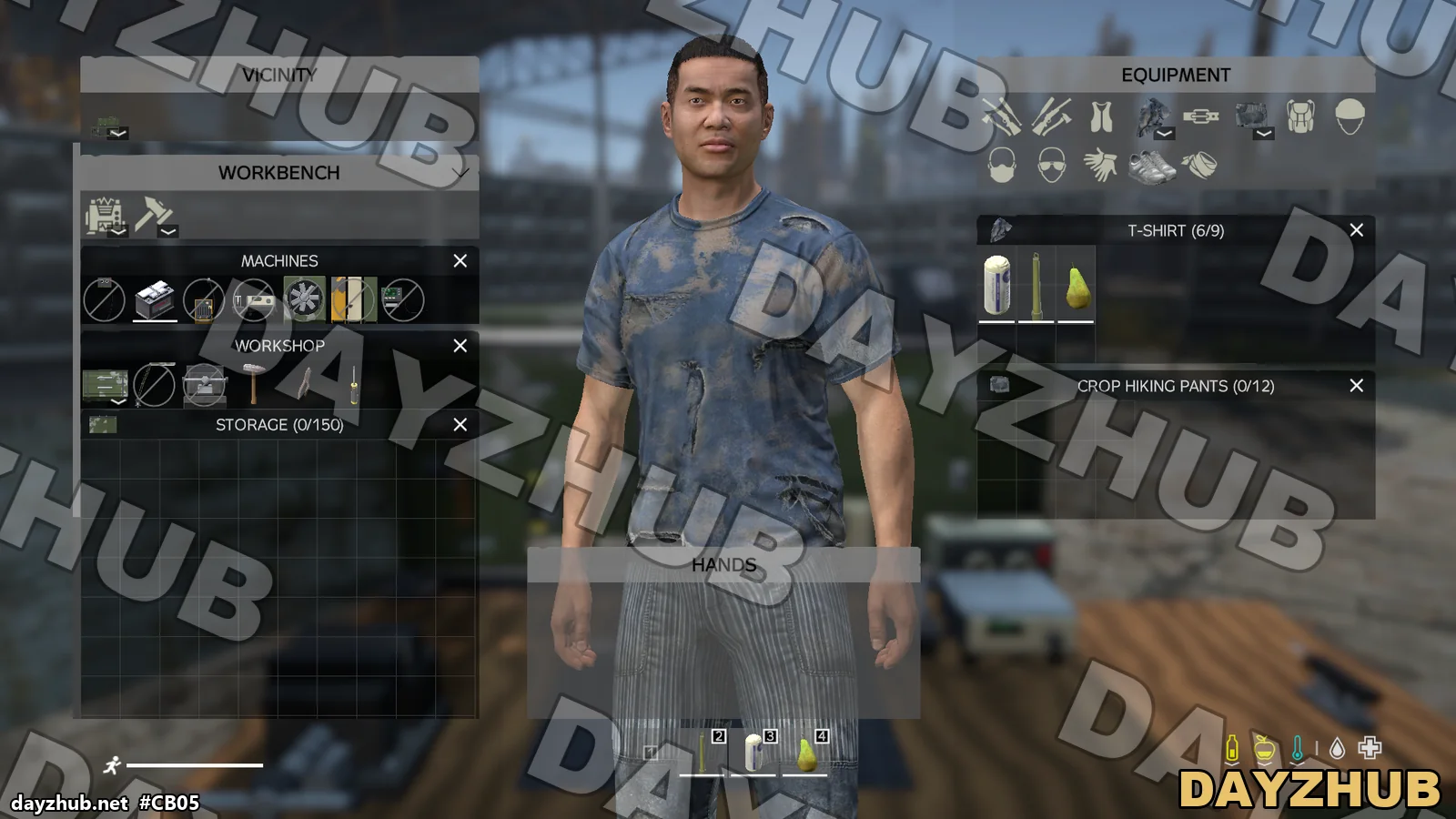
- You add the storage cabinet, a car battery and your own hammer, pliers and screwdriver, which count as tools for recipes. Finished crafts go into the storage; a bench without it drops the results on the output spot of the bench.
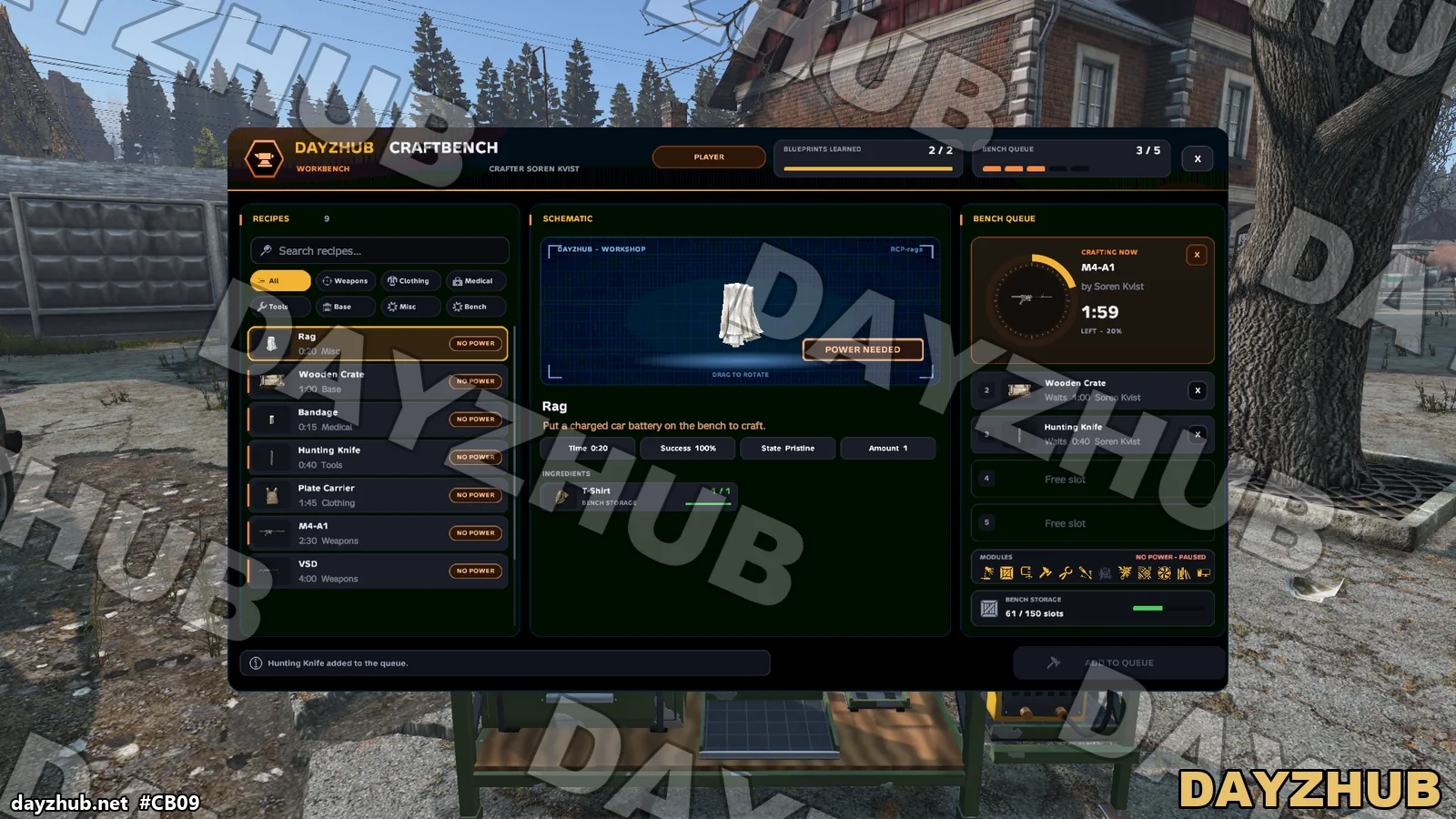
- Every craft runs on a charged car battery that drains while crafting. With an empty battery the queue pauses until you put a charged one on.
- Recipes can need the machines: weapon kits need the vice and the welder, and the welder and the electronics need power.
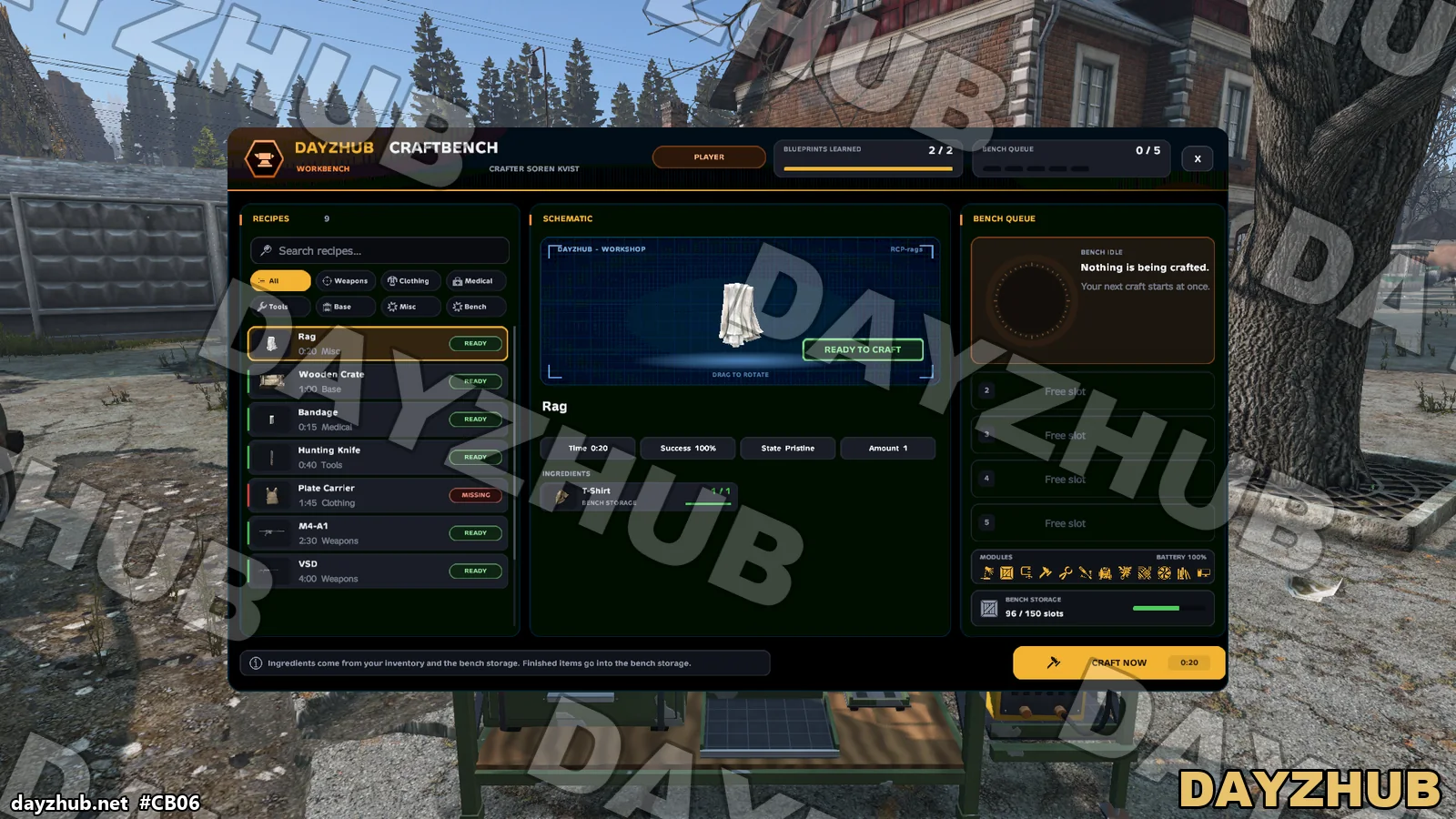
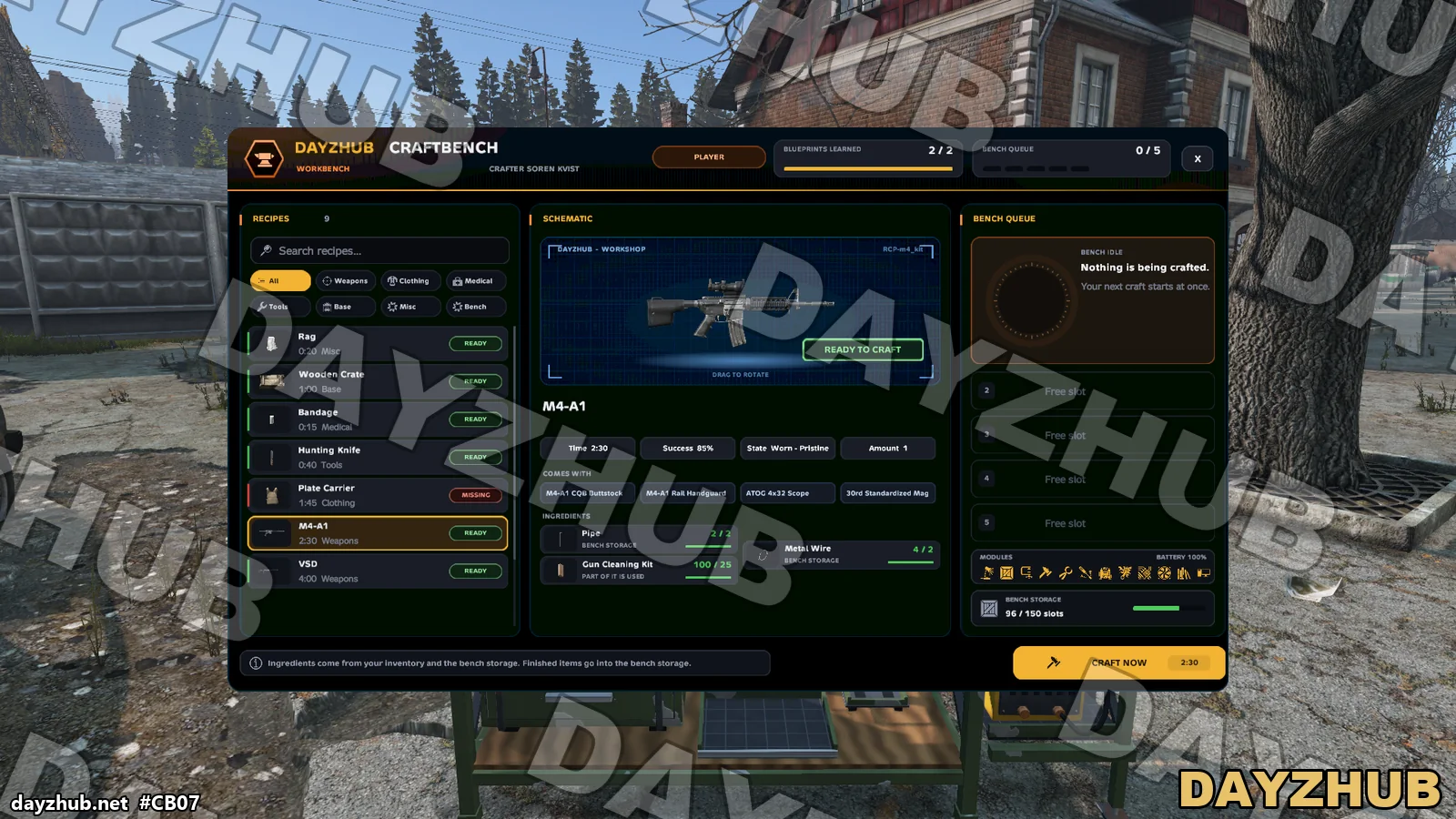
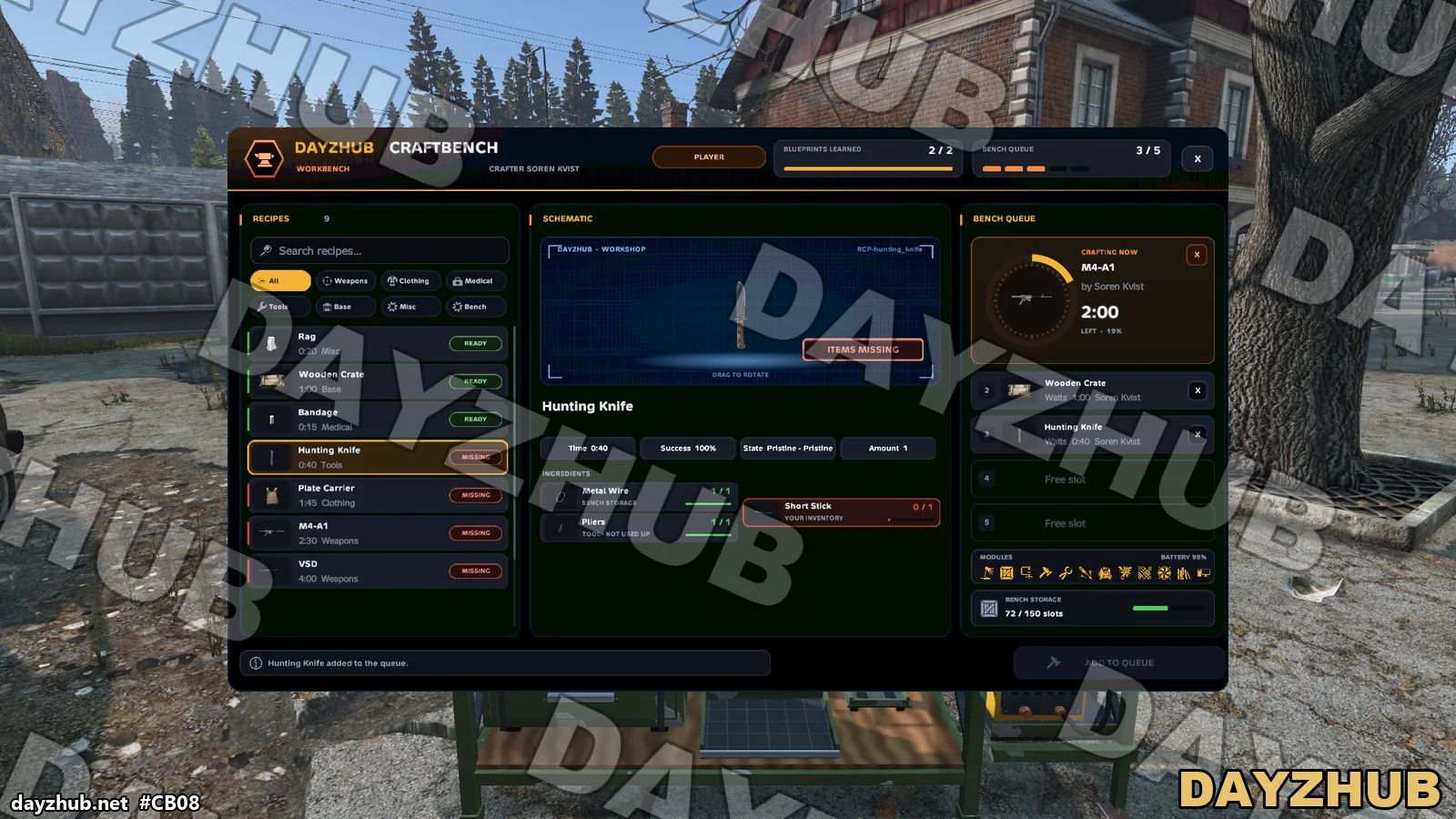
- Our own premium craft menu: categories, search, a 3D preview, what you have and what you need, plus the battery charge and the storage space.
- Timed crafting with a queue of up to 5 crafts per bench (the maximum is configurable). A craft is never lost when you walk away, and cancelling gives the ingredients back.
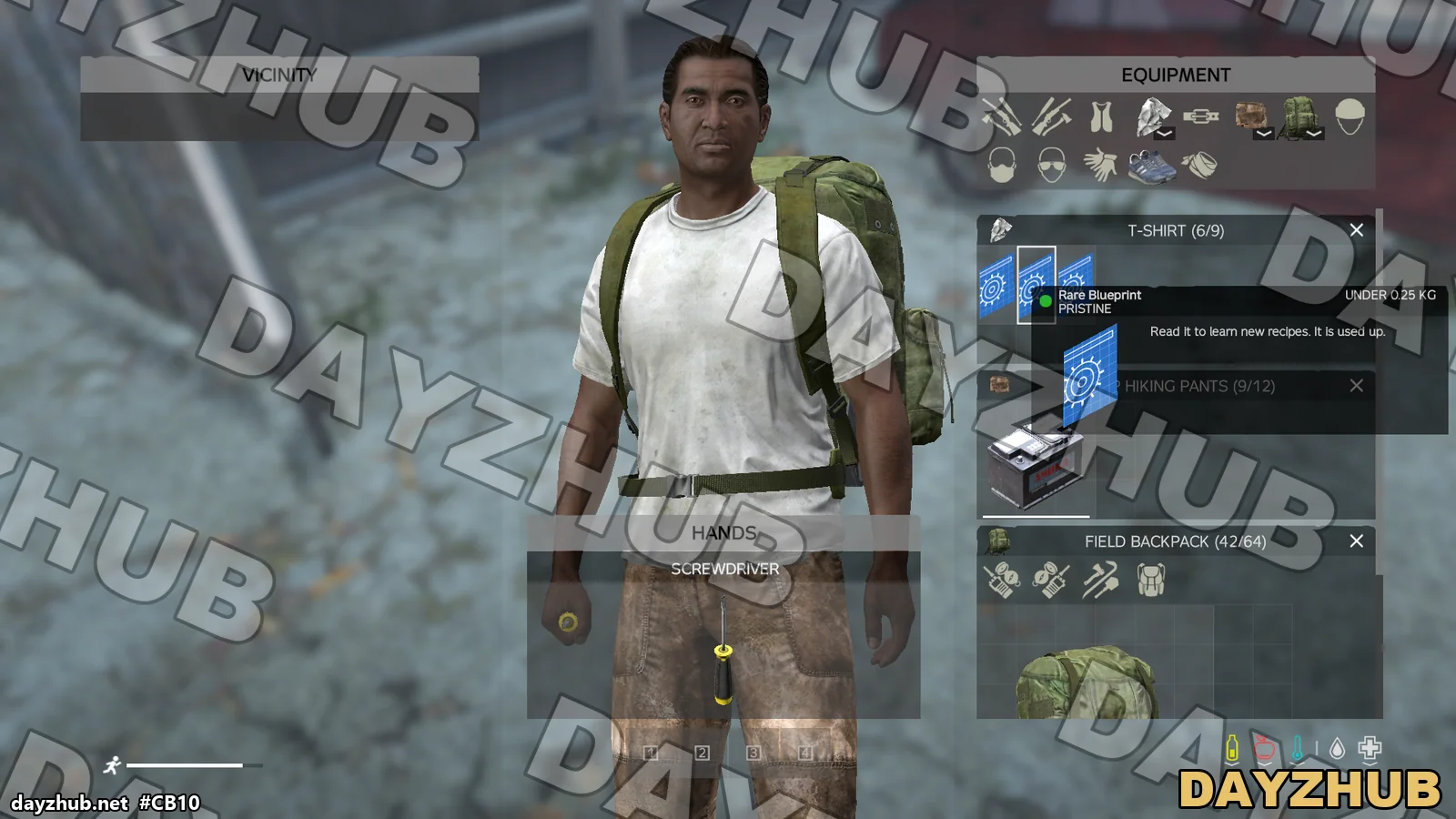
- Learn locked recipes from readable blueprints (common, rare and military loot), which are used up when read, or by holding a real item (learn from sample). Recipes you have not learned stay locked.
- Weapons can come fully kitted with their parts, vanilla and A6.
- Choose your result, success chance, random condition and amount, and partial use of ingredients (for example 10% of a glue tube).
- The work lamp lights the bench at night. Access to a bench by an item or by a VIP Steam ID list managed in the DayzHUB Console.
Server owners
- Admin benches at traders, placed with the DayzHUB admin menu, always complete and without a battery, each with its own profile and an optional LB map marker.
- A VIP bench profile: faster crafting, only for the players on its access list, managed from the DayzHUB Console.
- Per-bench rules, and an admin menu page: settings, benches, give blueprints and reset what a player learned.
- A recipe editor in the admin menu: add, edit, lock, unlock and remove recipes in game. Every change is checked, saved with a backup, applied at once without a restart and logged with the admin name.
- DayzHUB Console actions and markers, and an optional Season Pass link: bench crafts count for Season Pass tasks.
- Move vanilla hand-crafts to the bench.
- A ready server types.xml comes in the release (Extra folder).
- Translated into nine languages.
Requisitos y compatibilidad
- DayZ 1.30 stable.
- Requires DayzHUB Core.
- One licence per server (IP and game port), added in My mods: there is no licence file. More servers cost a third of the price each. Try it first with a 7-day test version (30% of the price) and upgrade later by paying only the rest; with the full mod, a free test server (registered in My mods with its exact server name, with a password and up to 10 slots) does not count. If the server is not added, the mod pauses and your server keeps running; the server log prints a link to add it, and says how many days a test version has left.
- Client mod @DayzHUB_CraftBench and server mod @DayzHUB_CraftBenchServer (server only, never give it to players).
Instalación
- Instala primero DayzHUB Core (gratis con cualquier mod de DayzHUB, descarga aparte en My mods).
- Copia @DayzHUB_CraftBench (cliente y servidor) y @DayzHUB_CraftBenchServer (solo servidor, nunca a los jugadores) en la carpeta de tu servidor.
- Copia keys\DayzHUB.bikey de @DayzHUB_CraftBench en la carpeta keys de tu servidor.
- Parámetros de inicio: -mod=...;@DayzHUB_Core;@DayzHUB_CraftBench y -servermod=@DayzHUB_CraftBenchServer
- Licencia: en My mods de dayzhub.net añade la IP y el puerto de juego de tu servidor. No hay nada que descargar ni poner en el servidor.
- Admins: añade tu Steam64 id a <profiles>\DayzHUB\Admin\admins.json (Core crea el archivo en el primer inicio).
Configuración
- Data folder: <profiles>\DayzHUB\CraftBench.
- The admin menu page: settings, benches, blueprints and resetting learned recipes.
- The VIP Steam ID list of a bench is managed in the DayzHUB Console.
Soporte
¿Dudas o un problema? Pregunta en el Discord de DayzHUB.
Guía de usuario (PDF)
Licencia de servidor
Una licencia por mod y por servidor (IP pública y puerto de juego, IP:PORT). Añade el servidor en My mods: no hay ningún archivo de licencia que descargar ni instalar. Cada servidor adicional cuesta un tercio del precio. Puedes conseguir primero una versión de prueba de 7 días (30 % del precio) y mejorar más tarde pagando solo el resto. Un servidor de prueba gratuito (registrado con su nombre exacto, con contraseña y hasta 10 slots) no cuenta. Si la licencia no es válida, el mod se pausa solo y tu servidor sigue funcionando; el registro del servidor muestra un enlace para añadir el servidor. Si no se puede acceder a nuestra web, los servidores ya confirmados siguen funcionando hasta 12 horas.
Capturas
📣 Registro de actualizaciones
Update2026-11-10
- A generator that was taken out and attached again now always goes to its spot beside the bench.
- Workbench built from a kit and powered by an attached generator (DayzHUB or vanilla).
- Crafting queue with 3D pictures of every item.
- Recipes are bought once with money (LB bank or cash) and stay unlocked.
- 200-slot bench storage and pegboard tools with wear.
- Admin bar page: settings, benches, players and a recipe editor with pictures.
- DayzHUB Console actions, events and markers; optional LB map markers.
- 9 languages plus Thai.
- Recipe editor: the item picker is now sorted alphabetically.
- The power and fuel indicator is colour-coded: green for full, amber for medium, red for low.
- Power comes from an attached generator. Use Attach generator while looking at your workbench: the free generator next to it (about 3 m, vanilla or DayzHUB) snaps to the left end of the bench, logo side to the front, and is plugged straight in. The attached generator is locked (no pick up or move) but can still be refuelled, switched and fitted with a spark plug; Detach generator frees it. The link and the generator are kept across restarts, and taking the bench apart frees the generator. Generator fuel can be set per recipe (Fuel (ml)); the global generatorFuelPerMinute applies to any generator.
- Placing a workbench kit keeps the generator spot at the left end free (the preview turns red and tells you why).
- The admin page (Benches) chooses per admin bench whether it shows on the map (LB Advanced Groups and DayzHUB Console). Player benches never show on a map.
- The Storage tab shows each item's real condition; ruined items are dimmed and tagged "Ruined".
- Admin Recipes page: "Open recipe editor" sits at the top, long recipe names no longer overlap the buttons, and messages use the recipe title.
- The bench menu closes when you are restrained or get into a vehicle. The workbench box now carries the DayzHUB logo.
- Uses the new DayzHUB licence system.